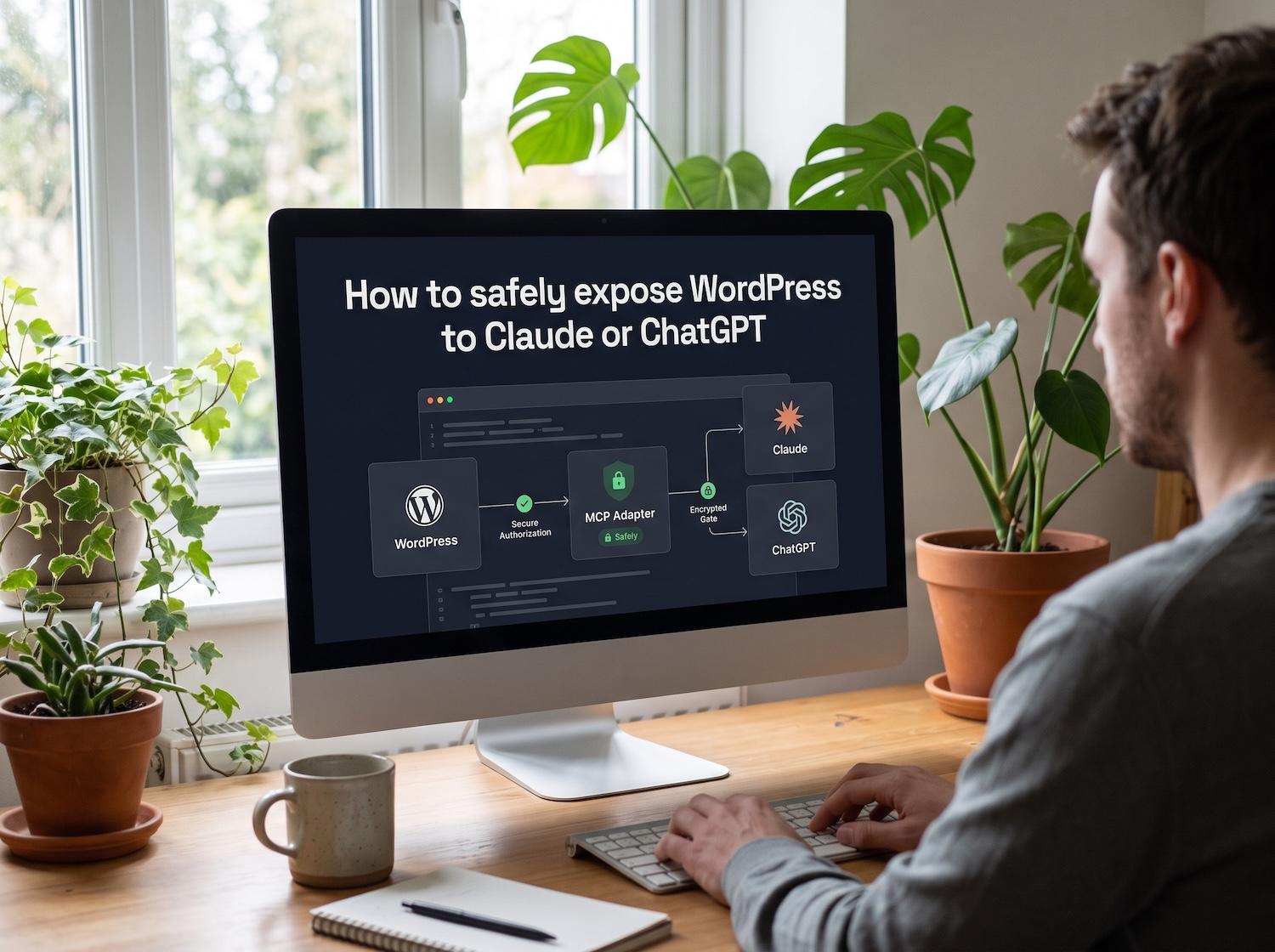
The Abilities API, added in WordPress 6.9, lets core and plugins register things they can do in a standard, typed and discoverable way. The official MCP Adapter plugin then turns those abilities into tools that AI clients such as Claude or ChatGPT can call through the Model Context Protocol. This guide shows how to register one read-only ability, expose it on purpose and keep WordPress permissions in charge.
What you need
- WordPress 6.9 or later, which includes the Abilities API in core.
- The MCP Adapter plugin. The WordPress.org page lists version 0.7.0, and you can install it with WP-CLI:
wp plugin install mcp-adapter --activate
- An MCP client that can connect to the server, set up by following the adapter's README for the transport you choose.
- A staging site. Do not try this on production first.
Plugin developers who depend on the adapter can add Requires Plugins: mcp-adapter to their plugin header.
Step 1: register one read-only ability
Each ability has a name, a description, input and output schemas, an execute callback and a permission callback. This example returns the site name and the number of published posts, and requires the edit_posts capability. It follows the pattern in the official documentation, so check the details against the Abilities API reference for your version.
<?php
/**
 * Plugin Name: Premier Read-Only Ability (example)
 */
add_action( 'wp_abilities_api_init', function () {
    wp_register_ability( 'premier-example/site-summary', array(
        'label'               => 'Site summary',
        'description'         => 'Returns the site name and the number of published posts.',
        'input_schema'        => array( 'type' => 'object', 'properties' => array() ),
        'output_schema'       => array(
            'type'       => 'object',
            'properties' => array(
                'name'            => array( 'type' => 'string' ),
                'published_posts' => array( 'type' => 'integer' ),
            ),
        ),
        'execute_callback'    => function () {
            $counts = wp_count_posts( 'post' );
            return array(
                'name'            => get_bloginfo( 'name' ),
                'published_posts' => (int) $counts->publish,
            );
        },
        'permission_callback' => function () {
            return current_user_can( 'edit_posts' );
        },
        'meta'                => array( 'mcp' => array( 'public' => true ) ),
    ) );
} );
If registration fails, check whether your WordPress version expects an ability category, and follow the Abilities API documentation to add one.
Step 2: expose it on purpose
Abilities are not exposed to MCP clients by default. The adapter's documentation says an ability is available through its default server only if it is marked public, using meta.mcp.public set to true, as in the example above.
WordPress 7.1 adds a unified meta.public flag. The adapter's 0.7.0 notes say abilities with meta.public: true are exposed through the default MCP server unless meta.mcp.public explicitly opts out. Core's announcement is clear that the flag controls exposure only: it does not make an ability executable without authorization and does not replace the permission callback.
Pune aceste idei în practică.
De la o îmbunătățire punctuală la un website complet, te ajutăm să definești scopul și să îl realizezi.
Discută despre website-ul meuDezvoltare web WordPress personalizatăÎmpărtășește-ne obiectivele tale. Răspundem de obicei în 4 ore cu întrebări și pași practici următori.
Step 3: know what the client sees
The adapter registers a default server, mcp-adapter-default-server, with three abilities of its own: mcp-adapter/discover-abilities, mcp-adapter/get-ability-info and mcp-adapter/execute-ability. Public abilities are reached through those three, not listed one by one.
Step 4: test the permissions, not just the happy path
- Ask the client to discover abilities and confirm
premier-example/site-summaryappears. - Read its details, then run it as a user who has the
edit_postscapability. - Run it as a user who does not. It should be refused.
- Remove the public flag, reload, and confirm the ability disappears from discovery.
If step 3 succeeds for a user without the capability, your permission callback is too loose.
Mistakes to avoid
- Treating the public flag as security. It controls visibility. The permission callback decides who can run the ability.
- Returning private data. Keep outputs to what the task needs.
- Starting with write abilities. Add them one at a time, and only on staging first. Our guide to abilities you should never expose to an AI agent lists the risky ones.
- Using a broad account. Give the agent a dedicated account with the minimum capabilities.
Întrebări frecvente
What is the WordPress Abilities API?
It is a way for WordPress core and plugins to register functions that are described, typed and executable, each with a permission callback. It arrived in WordPress 6.9.
Do I need the MCP Adapter plugin to use abilities?
No. Abilities work without it. The adapter is the official bridge that exposes them to AI clients through the Model Context Protocol.
Is it safe to connect an AI agent to my site?
Only as safe as the abilities you expose and the permissions behind them. Start with one read-only ability on a staging site.
Want an agent-ready plugin built carefully?
We build custom plugins with permission checks, strict inputs and logging designed in. See our custom WordPress plugin development.