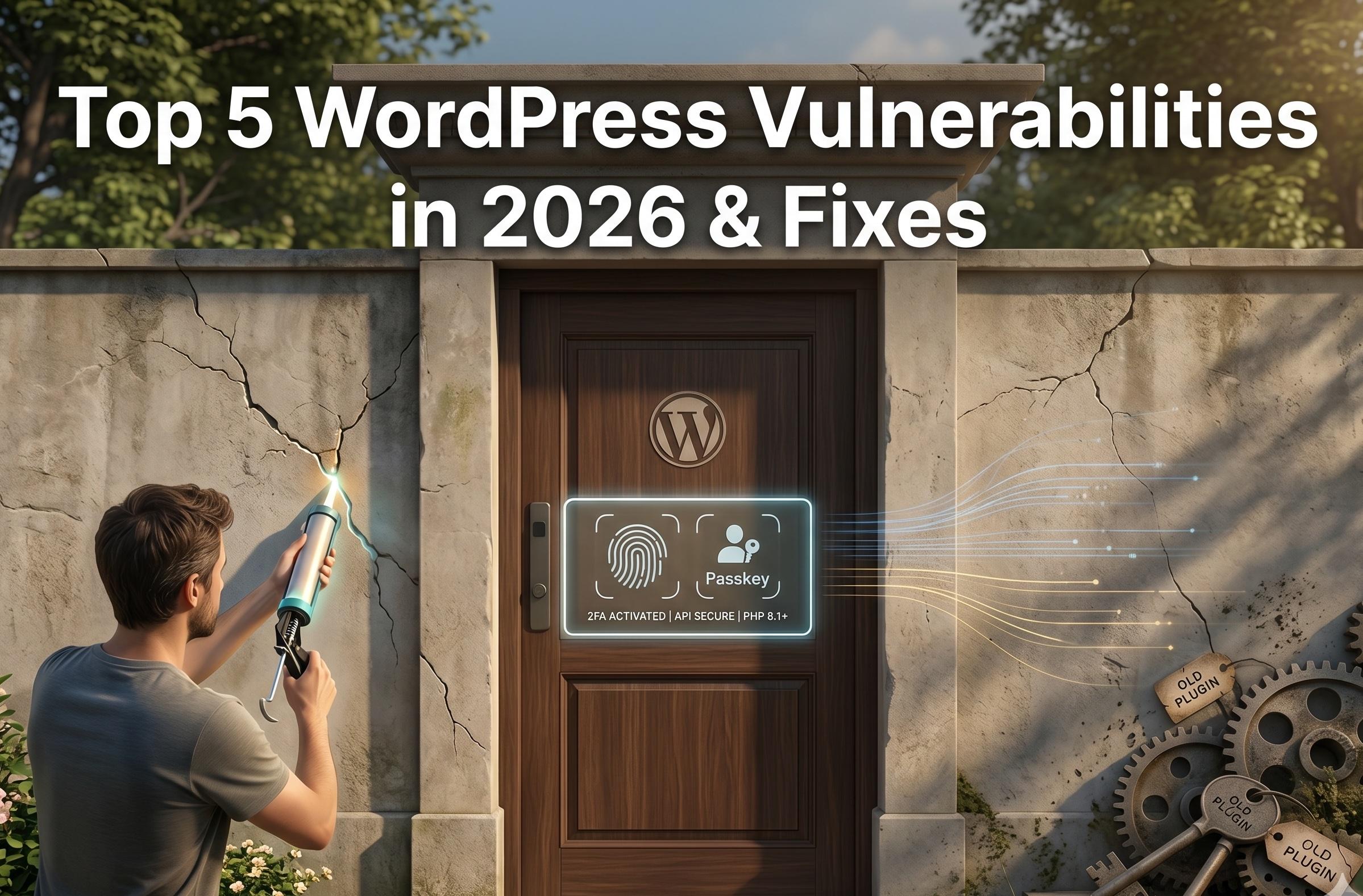
As the digital landscape evolves, so do the threats that target it. In 2026, WordPress remains the undisputed heavyweight champion of the web, powering nearly half of all websites globally. However, this immense popularity makes it the most lucrative target for cybercriminals. If you are operating a digital storefront, a corporate portal, or a high-traffic blog, understanding the specific WordPress vulnerabilities in 2026 is the only way to safeguard your data, your search rankings, and your customers' trust.
The days of amateur hackers manually guessing passwords are over. Today’s threats are executed by highly sophisticated, AI-driven botnets that exploit software supply chains, unprotected API endpoints, and outdated server environments in fractions of a second.
In this comprehensive guide, we will break down the top five WordPress vulnerabilities in 2026, explain exactly how hackers exploit them, and provide actionable fixes. Furthermore, we will show you how investing in professional WordPress security services can fortify your digital perimeter and keep your business safe.
1. Supply Chain Attacks via Abandoned Plugins
One of the most dangerous WordPress vulnerabilities in 2026 doesn't originate from the WordPress core software; it comes from the third-party ecosystem.
The Threat:
A "supply chain attack" occurs when a hacker targets a widely used plugin rather than attacking your site directly. In 2026, we are seeing a massive surge in cybercriminals quietly purchasing abandoned or poorly maintained plugins from their original developers. Once acquired, the hackers push a "legitimate" update that secretly contains malicious backdoors, ransomware, or SEO spam scripts. Because you trust the plugin, you update it, inadvertently installing the malware yourself.
The Fix:
- Rigorous Plugin Auditing: Only install plugins from highly reputable developers with a proven track record. Check the "Last Updated" date in the WordPress repository. If a plugin hasn't been updated in over six months, find an alternative.
- Consolidate Functionality: The fewer plugins you have, the smaller your attack surface. If you are building a custom wordpress website, utilize comprehensive builders rather than duct-taping 30 different micro-plugins together.
- Utilize a Web Application Firewall (WAF): A premium WAF can often detect and block the malicious behavior of a compromised plugin before it can execute its payload.
2. Insecure REST API Endpoints
The WordPress REST API is a powerful tool that allows developers to interact with a site's database using JSON format. It is essential for headless WordPress builds and mobile apps. However, if left unguarded, it is a massive security hole.
The Threat:
Automated bots have learned to bypass traditional front-end login screens and registration forms entirely. Instead, they send HTTP requests directly to the /wp-json/wp/v2/users endpoints. This allows them to scrape your entire author list (revealing admin usernames) or, in severe cases involving poor configuration, inject rogue "ghost" users into your database who can later hijack the site.
The Fix:
- Restrict API Access: If your website does not actively use the REST API for external applications, restrict it so that only logged-in, authenticated users can query it.
- Disable User Enumeration: Use a security plugin to block requests that attempt to list your site's users via the API.
- Professional Hardening: Configuring API rules can break site functionality if done incorrectly. If you are dealing with recurring malware or aggressive bot traffic, explore our professional WordPress security services to lock down your site's technical endpoints safely.
3. AI-Powered Credential Stuffing & Brute Force Attacks
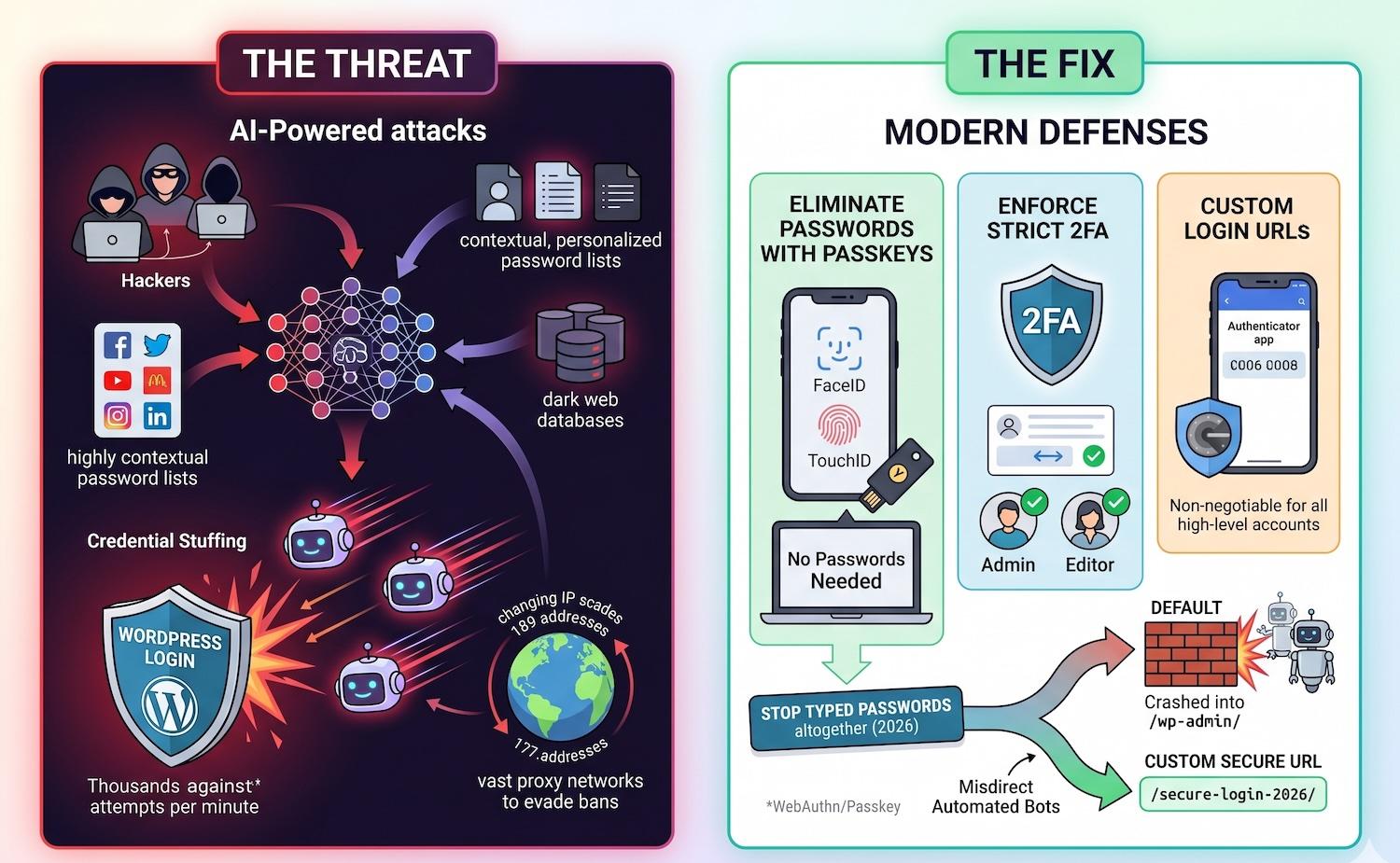
Brute force attacks have been around for decades, but AI has supercharged them. This is one of the most relentless WordPress vulnerabilities in 2026.
The Threat:
Hackers now use AI to generate highly contextual, personalized password lists based on your social media profiles, company history, and previously leaked databases on the dark web (credential stuffing). Combined with vast proxy networks that constantly change IP addresses, these bots can launch thousands of targeted login attempts per minute without triggering standard, outdated IP bans.
The Fix:
- Eliminate Passwords with Passkeys: In 2026, the best defense is to stop using typed passwords altogether. Implement WebAuthn/Passkey logins (using FaceID, TouchID, or hardware keys like YubiKey).
- Enforce Strict 2FA: If you must use passwords, Two-Factor Authentication (2FA) via an authenticator app is non-negotiable for all admin and editor accounts.
- Custom Login URLs: Change the default
wp-login.phpor/wp-admin/URLs to custom slugs to instantly misdirect 90% of automated brute-force bots.
Put these ideas to work.
From a specific fix to a complete website, we can help you define the scope and get it done.
Discuss my websiteCustom WordPress Web DevelopmentShare your goals. We typically reply within 4 hours with questions and practical next steps.
4. Cross-Site Scripting (XSS) via Dynamic Themes
Cross-Site Scripting (XSS) remains a top-tier threat on the OWASP Top 10 list, and it heavily impacts highly dynamic websites.
The Threat:
An XSS vulnerability occurs when a theme or plugin allows user input (like a contact form, a blog comment, or a search bar) to be processed without properly "sanitizing" it. A hacker inputs a malicious JavaScript code snippet into the form. When an administrator later logs in and views that form submission or comment, the script executes in the admin's browser, potentially stealing their session cookies and granting the hacker full control of the site.
The Fix:
- Keep Software Updated: The WordPress core team and premium theme developers patch XSS vulnerabilities immediately upon discovery. Turn on automatic updates for your core software.
- Use Secure Page Builders: When building or upgrading your digital presence, use globally recognized, securely coded tools. For instance, creating a wordpress website using elementor or building a visual masterpiece with divi ensures you are backed by massive security teams that constantly audit their code for XSS flaws.
- Sanitize Inputs: If you are running custom code, ensure all
POSTandGETrequests are sanitized and escaped before being rendered on the screen.
5. PHP Obsolescence and Server Exploits
While we focus heavily on the WordPress dashboard, the server environment underneath is where catastrophic failures occur.
The Threat:
With the release of WordPress 7.0 in 2026, the minimum required PHP version is 7.4, though PHP 8.2 or 8.3 is standard. Millions of websites are still running on unsupported, "End of Life" (EOL) PHP versions like 7.2 or 7.3. These outdated versions no longer receive security patches. If a hacker finds a vulnerability in PHP 7.2, they can bypass WordPress entirely and gain root access to your web server.
The Fix:
- Upgrade PHP Versions: Log into your hosting control panel (like cPanel or Site Tools) and upgrade your server to the highest stable version of PHP supported by your plugins.
- Bonus Benefit: Upgrading your PHP version is not just a security fix; it is a massive performance boost. If you want to dive deeper into performance, consider pairing your server upgrade with our comprehensive wordpress website speed optimization service to drastically lower your load times.
Protect Your Digital Investment with Premier Services
Understanding the top WordPress vulnerabilities in 2026 is only the first step. Executing the fixes requires technical precision, constant vigilance, and a proactive strategy. You shouldn't have to spend your days reviewing server logs and updating firewalls when you need to be running your business.
At our agency, we provide end-to-end digital solutions designed to secure, accelerate, and elevate your brand. Whether you need immediate intervention or a complete digital overhaul, our expert team is ready to help:
- Lock Down Your Site: Don't wait for a breach. Explore our dedicated WordPress security services to implement enterprise-grade firewalls, malware scanning, and vulnerability patching.
- Accelerate Your Growth: A secure site must also be fast. Reclaim lost conversions and improve your Core Web Vitals with our specialized wordpress website speed optimization service.
- Start Fresh with a Modern Build: Are legacy themes exposing you to XSS attacks? Let our design team redesign wordpress website properties using the latest, most secure frameworks. We specialize in building a high-converting wordpress website using elementor or divi.
- Dominate the Search Results: Once your site is secure and fast, it's time to capture traffic. Partner with our team for cutting-edge seo strategies tailored for 2026 algorithms.
- Custom Enterprise Solutions: For complex business needs that require robust data protection, we architect and develop secure custom wordpress website platforms from the ground up.
Contact us today to schedule a comprehensive security audit and ensure your business is protected against the threats of tomorrow.
Frequently Asked Questions (FAQs)
1. How do I know if my site is exposed to WordPress vulnerabilities in 2026?
The most common indicators of exposure include running outdated plugins, using PHP versions older than 8.0, and lacking a Web Application Firewall (WAF). To know for sure, you should run a security scan using tools like Wordfence or hire a professional to conduct a deep penetration test.
2. Can a premium theme protect me from hackers?
Using a premium, actively maintained theme (like Hello Elementor or Divi) drastically reduces your risk of XSS and code injection attacks because their developers patch vulnerabilities quickly. However, a theme alone cannot protect against brute-force attacks or compromised plugins. Security requires a multi-layered approach.
3. What is the difference between a WAF and a security plugin?
A security plugin typically runs inside your WordPress environment, scanning files and monitoring local logins. A Web Application Firewall (WAF), like Cloudflare, sits in front of your server. It intercepts and blocks malicious traffic, bots, and SQL injections before they even reach your website's server, saving you resources and providing a stronger shield.
4. Why is my WordPress site receiving so many fake user registrations?
This is a classic symptom of an insecure REST API or an unprotected registration form. Bots bypass the visual form and inject users directly into your database. To stop this, you must deploy cloud-based CAPTCHAs (like Turnstile), restrict REST API endpoints to authenticated users, and utilize spam-filtering plugins.
5. What is the very first thing I should do to secure a new WordPress installation?
Immediately after installing WordPress, change the default "admin" username, generate a 20+ character randomized password, enable Two-Factor Authentication (2FA), and change the database prefix from wp_ to something random. These four steps eliminate 90% of automated brute-force and SQL injection attacks.
Summary
As cyber threats become highly automated, understanding the top WordPress vulnerabilities in 2026 is critical for any site owner. The modern threat landscape includes supply chain attacks via abandoned plugins, AI-powered brute-force login attempts, insecure REST API endpoints, Cross-Site Scripting (XSS), and exploits targeting outdated PHP server environments. Fixing these issues requires strict plugin auditing, restricted API access, modern Passkey/2FA authentication, and consistent server upgrades. For businesses looking for ultimate peace of mind, partnering with experts for professional WordPress security services ensures your digital storefront remains impenetrable, fast, and optimized for growth.