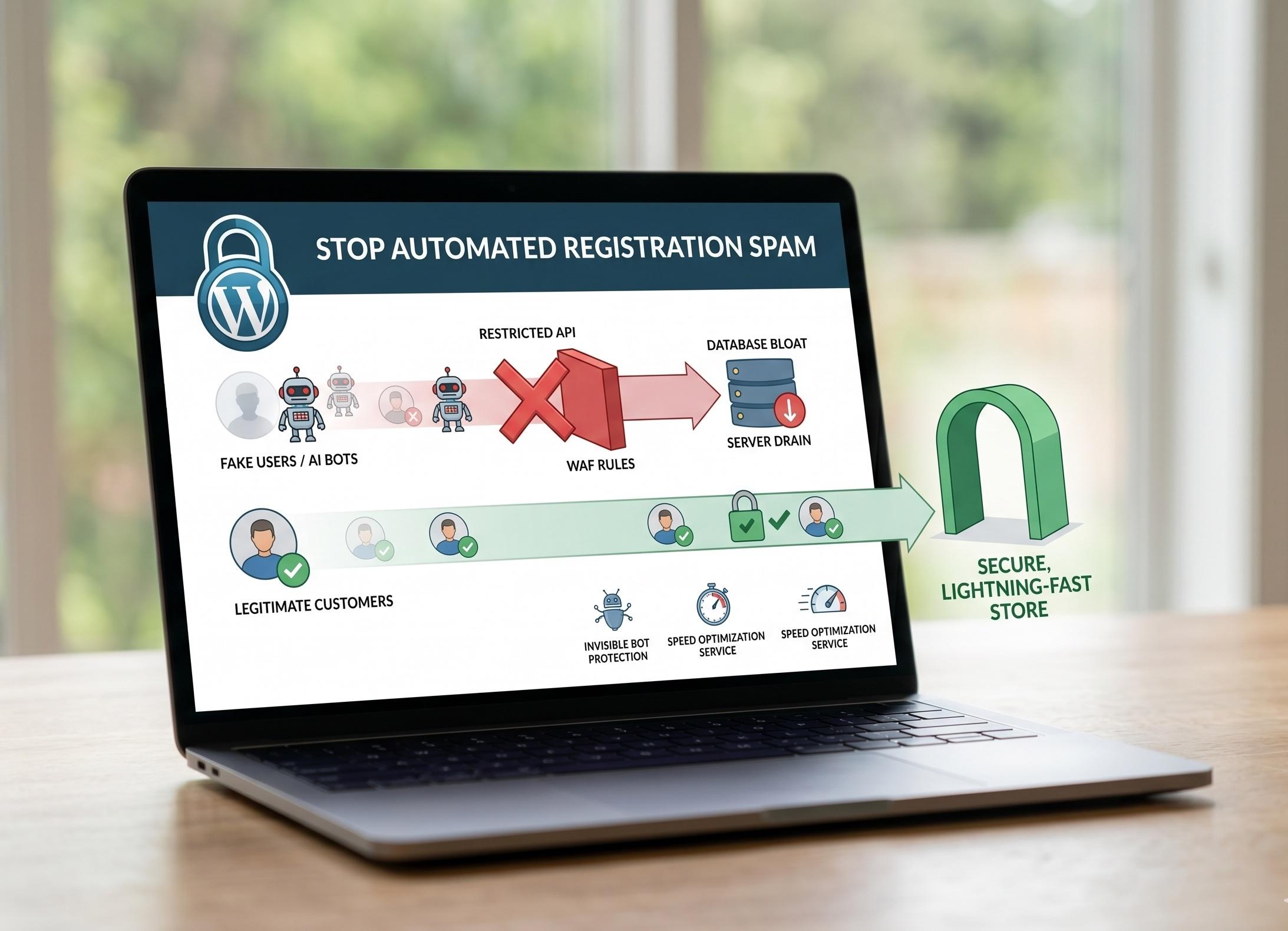
For anyone running a membership site, a WooCommerce store, or an active community forum, dealing with automated registration spam is a daily nightmare. You wake up, check your WordPress dashboard, and find dozens—sometimes hundreds—of new users registered overnight. These aren't real customers; they are AI-driven bots utilizing repetitive, burner email addresses
If you read our previous posts—The Top 5 WordPress Vulnerabilities in 2026 and 10 Critical Signs of a Hacked WordPress Site—you know that hackers are constantly searching for backdoors. Fake user accounts are often the first step in a much larger attack sequence. Once a bot establishes a "Subscriber" or "Customer" account, they can probe your site for privilege-escalation vulnerabilities, attempt to inject Cross-Site Scripting (XSS) payloads into user profiles, or spam your internal messaging systems.
The most frustrating part? You might have already tried to stop them. You installed a basic CAPTCHA, or maybe your developer wrote a custom PHP filter using the registration_errors hook to block hotmail.com emails. Yet, the bots keep slipping through.
In this comprehensive technical guide, we will expose exactly how these advanced bots bypass traditional defenses, why the WordPress REST API is their favorite weapon, and how our professional WordPress security services can lock down your registration pathways for good.
1. Why Traditional Defenses (and CAPTCHAs) Fail in 2026
In the past, stopping a bot was as simple as adding a distorted image of text (a traditional CAPTCHA) to your registration form. In 2026, AI vision models solve visual CAPTCHAs faster and more accurately than humans.
Furthermore, many site owners attempt to use built-in WordPress hooks to block spam. A developer might write a custom snippet in the functions.php file using the registration_errors filter to block specific domains:
// An example of a basic filter that bots easily bypass
add_filter( 'registration_errors', 'block_spam_domains', 10, 3 );
function block_spam_domains( $errors, $sanitized_user_login, $user_email ) {
if ( strpos( $user_email, '@hotmail.com' ) !== false ) {
$errors->add( 'domain_blocked', 'Registration from this domain is not allowed.' );
}
return $errors;
}
While this code looks logically sound, it frequently fails. Why? Because the modern bot does not fill out your frontend visual registration form. If they don't use your form, they don't trigger the frontend CAPTCHA, and depending on how the request is formatted, they can often bypass standard form-validation hooks entirely.
2. The Backdoor: Exploiting the WordPress REST API
The primary reason bots are bypassing your frontend defenses is the WordPress REST API.
The REST API is a powerful feature that allows external applications (like mobile apps or custom headless frontends) to communicate directly with your WordPress database using JSON formatting. By default, the API route [yourdomain.com/wp-json/wp/v2/users](https://yourdomain.com/wp-json/wp/v2/users) is active.
The Hacker's Tactic:
Instead of loading your website's HTML, rendering the CSS, and typing into the registration fields, a hacker writes a Python script that sends thousands of automated HTTP POST requests directly to your REST API endpoints or directly to the wp-login.php?action=register script.
Because they are bypassing the visual frontend of your custom wordpress website, they bypass the visual CAPTCHAs. If your backend authentication isn't strictly configured, these scripts can force user creation, bypassing rudimentary registration_errors filters. This is why you keep seeing unsual email address appearing in your user list despite your best efforts to block it.
3. Step-by-Step: How to Block Registration Spam
To permanently stop automated user registrations, you must implement a "Defense in Depth" strategy that targets the bots at both the server application layer and the network edge.
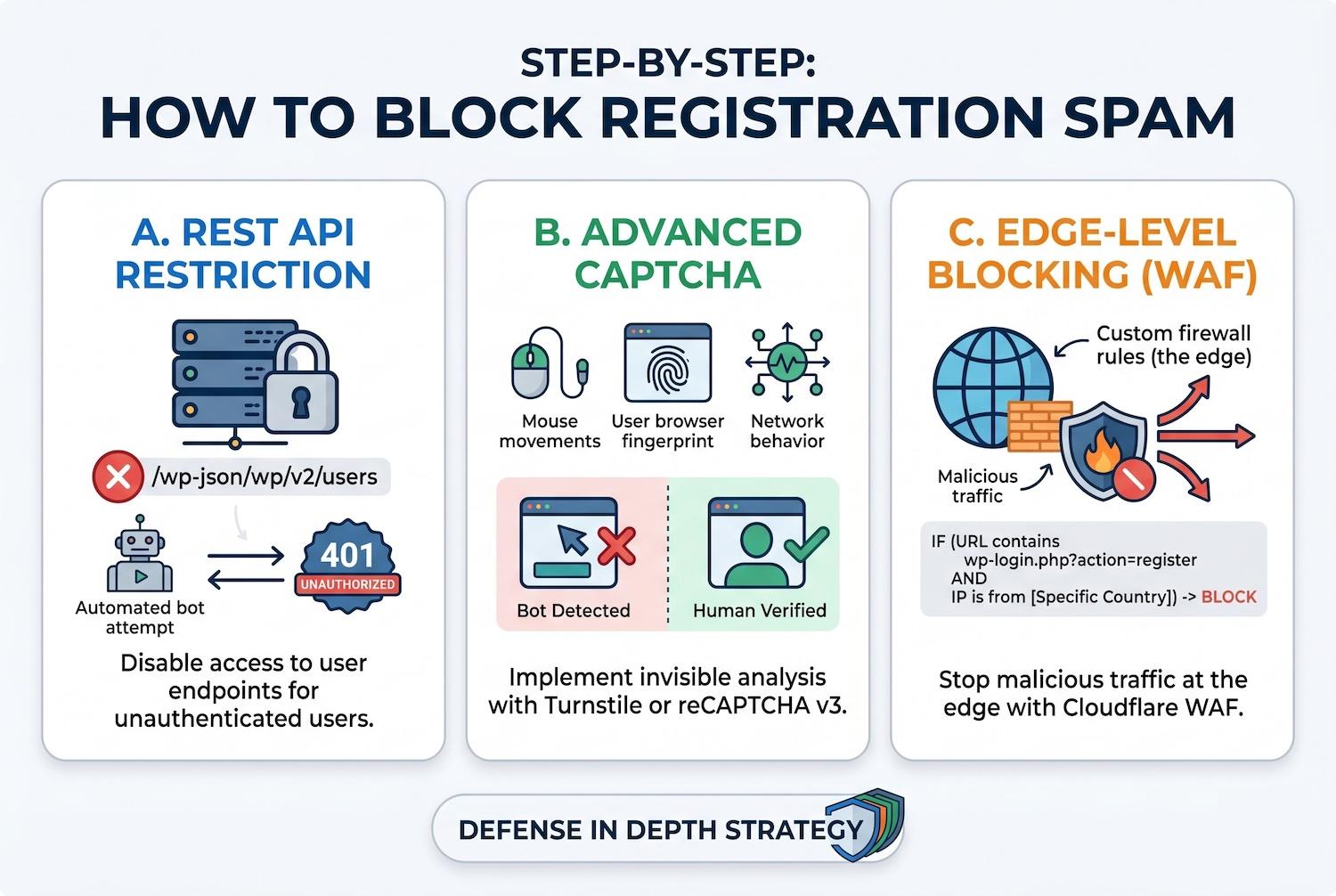
A. Restrict or Disable the REST API for Unauthenticated Users
If your website does not actively use the REST API for external apps, you should lock it down so that only logged-in administrators can access user data endpoints.
You can use a dedicated security plugin (like Perfmatters or Wordfence) to quickly toggle the REST API off for unauthenticated traffic. Alternatively, you can block external access to the specific user registration routes. When a bot tries to send a payload to /wp-json/wp/v2/users, they will instantly receive a 401 Unauthorized HTTP response, terminating the fake registration.
B. Implement Turnstile or reCAPTCHA v3
If you must leave frontend registration open for real customers, ditch the old visual CAPTCHAs. Implement Cloudflare Turnstile or Google reCAPTCHA v3. These tools run invisibly in the background, analyzing the user's mouse movements, browser fingerprint, and network behavior to determine if they are human or a bot before the form can even be submitted.
C. Deploy Edge-Level Blocking with Cloudflare WAF
As we detailed in our guide, Wordfence vs. Cloudflare: Which is Better for the Best WordPress Firewall Setup?, the ultimate defense happens before the traffic even reaches your server.
By setting up custom Web Application Firewall (WAF) rules in Cloudflare, you can block malicious registration patterns at the edge of the internet. For example, if you are continuously bombarded by fake hotmail accounts from specific countries, you can write a Cloudflare rule that says:
If the URL path contains wp-login.php?action=register AND the IP address is from [Country X], block the request.
This ensures the bot never even touches your WordPress installation, completely eliminating the threat.
4. The Hidden Impact: How Bot Spam Destroys Site Speed
Registration spam is not just a security threat; it is a massive performance killer. Every time a bot hits your wp-login.php page or pings your REST API, it forces your web server to process PHP and query the database.
If a botnet sends 500 registration requests a minute, your server's CPU will max out. Legitimate customers will experience agonizing load times, leading to cart abandonment. (We covered this devastating financial impact in our previous post, The High Cost of Waiting: WooCommerce Speed Optimization).
This is why security and speed are deeply connected. By stopping these bots, you instantly free up server resources. If your site is still dragging after blocking the spam, it is time to invest in a professional WordPress speed optimization service. Our experts can clean out the thousands of orphaned database rows left behind by fake users, optimize your queries, and restore your site's blazing-fast performance.
Put these ideas to work.
From a specific fix to a complete website, we can help you define the scope and get it done.
Discuss my websiteCustom WordPress Web DevelopmentShare your goals. We typically reply within 4 hours with questions and practical next steps.
5. Secure Your Digital Future with Expert Services
Attempting to fight an automated botnet manually is a losing battle. Misconfiguring the REST API can break your Gutenberg block editor, and setting the wrong WAF rules can block legitimate customers from buying your products.
You should be focused on growing your community and scaling your revenue, not playing whack-a-mole with fake hotmail accounts in your dashboard.
Our agency provides elite digital solutions designed to secure, accelerate, and elevate your brand:
- Eradicate Fake Users: Stop the bots in their tracks. Contact our team to deploy our enterprise-grade WordPress security services. We will audit your REST API endpoints, configure edge-level firewalls, and implement invisible bot protection to guarantee only real humans register on your site.
- Recover Your Speed: Did the botnet bog down your server? Let us implement our specialized WordPress speed optimization service to clean your database, implement object caching, and ensure your site passes Core Web Vitals.
- Build a Secure Foundation: If your current setup relies on a vulnerable, outdated theme, it is time for an upgrade. Our development team can seamlessly redesign wordpress website architecture using secure frameworks, whether that means creating a highly dynamic wordpress website using elementor or a visually stunning experience with divi.
- Drive Real Traffic: Once your site is secure from bots, we help you attract real humans. Partner with us for cutting-edge seo campaigns that drive high-intent buyers to your secure funnels.
Stop letting fake users clutter your database and drain your server resources. Contact us today to lock down your registration pathways and secure your digital business.
Frequently Asked Questions (FAQs)
1. Why are bots registering on my WordPress site if I don't have a membership program?
By default, WordPress enables user registration at the Subscriber level. Hackers use automated scripts to find any WordPress site with open registration (Settings > General > Anyone can register). They create accounts to look for privilege-escalation bugs or to use the user profile fields to inject spam links for SEO purposes.
2. I wrote custom code to block hotmail.com in registration_errors, but it isn't working. Why?
The registration_errors hook only fires when a user goes through the standard WordPress user creation process. If bots are forcing user creation by directly exploiting the REST API user endpoints or utilizing outdated XML-RPC protocols, they bypass the frontend form validation entirely. You must restrict the API to stop them.
3. Does blocking the REST API break my website?
It can, if done incorrectly. The Gutenberg block editor heavily relies on the REST API to save posts and load blocks. Furthermore, plugins like WooCommerce and Contact Form 7 use it for dynamic functionality. You should never disable the REST API entirely; instead, use strict permissions to disable specific endpoints (like /users/) for non-authenticated traffic only.
4. How does Cloudflare help stop registration spam?
Cloudflare acts as a cloud-based Web Application Firewall (WAF). It sits in front of your server. Cloudflare analyzes the behavioral fingerprint of the traffic trying to access your registration page. If it detects a known botnet or an aggressive automated script, it blocks the connection before the bot can even reach your WordPress installation.
5. How do fake users affect my site's speed?
Fake users bloat your database. A massive wp_users and wp_usermeta table slows down database queries. Additionally, the act of a bot constantly hitting your login or registration pages forces the server to process heavy, uncacheable PHP requests, spiking your CPU usage and slowing down the site for real visitors.
Summary
Automated registration spam is a critical threat to both the performance and safety of a digital business in 2026. Hackers utilize sophisticated AI bots and repetitive burner emails (like persistent hotmail.com accounts) to bypass traditional visual CAPTCHAs and frontend registration_errors filters. They achieve this by directly exploiting the WordPress REST API and wp-login.php scripts. To permanently stop fake users, site owners must restrict unauthenticated access to REST API user endpoints, deploy invisible bot protection like Turnstile, and implement edge-level WAF rules. Because bot attacks severely drain server CPU and bloat the database, utilizing professional WordPress security services and a comprehensive WordPress speed optimization service is the only guaranteed way to secure your pathways and ensure lightning-fast performance for legitimate customers.