Artificial Intelligence has rapidly redefined software development, streamlining everything from simple code completion to multi-agent project orchestration. Standing at the forefront of this revolution is Kiro—an AI IDE from AWS that thinks like a developer. Kiro introduces a new paradigm where AI acts not just as an assistant, but as an autonomous software engineer capable of planning, executing, and maintaining code with context-driven intelligence. In this in-depth guide, we’ll explore Kiro’s unique features, compare it with top contenders—Windsurf and Cursor, and delve into how these AI-powered IDEs are transforming modern software engineering.
Understanding Kiro: An AI IDE That Thinks Like a Developer
What is Kiro?
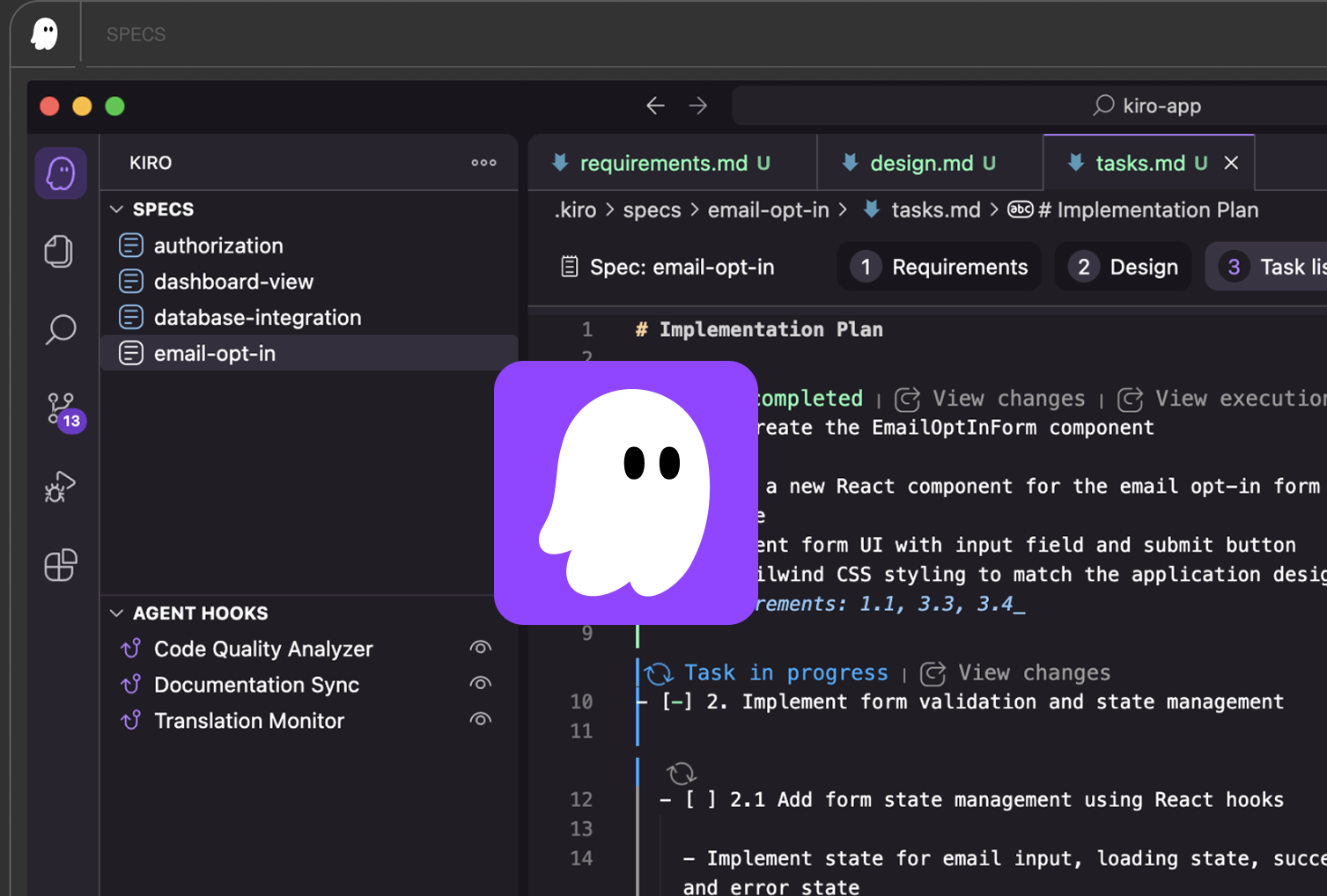
Kiro is AWS’s flagship AI-integrated development environment (IDE), designed to operate as an agentic partner for developers. Unlike traditional code editors, Kiro takes a holistic, spec-driven approach, converting high-level developer intentions into structured, production-ready implementations. By leveraging agentic AI, Kiro bridges the gap between rapid AI prototypes and maintainable, professional software.
Key features include:
- Agentic reasoning loop: Observes, plans, executes, and evaluates development tasks autonomously.
- Specification first: Developers describe what they want; Kiro plans how to achieve it through specs, tasks, and continuous documentation.
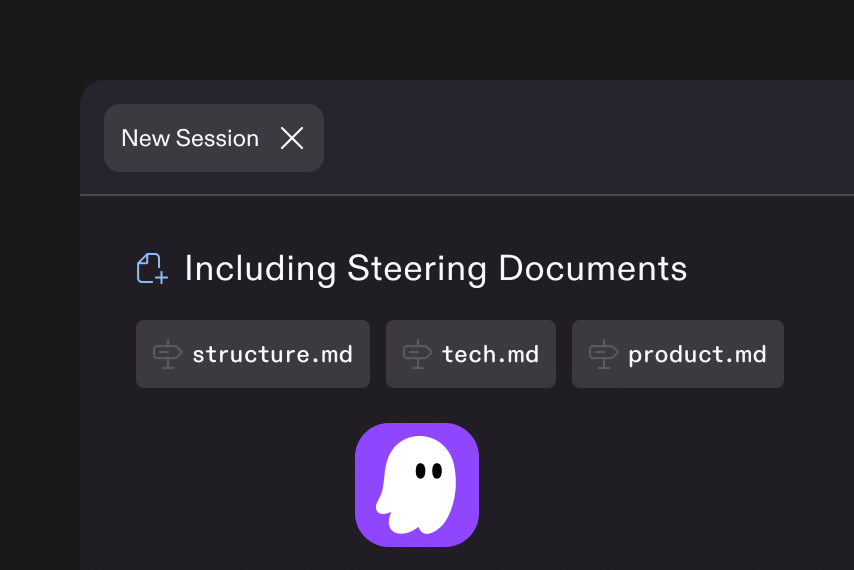
- Full codebase context: Utilizes local protocol integrations (e.g., Language Server Protocol, Model Context Protocol) for code-aware operations.
- On-device security: All actions occur locally unless users opt into cloud features, ensuring privacy and transparency.
- Hooks and automations: AI agents react to file changes or workflow events, bringing event-driven automation to software engineering.
The Vision Behind Kiro’s AI
AWS’s ambition is clear: empower developers by automating the tedium—context-switching, documentation, code reviews, and testing—so their focus remains on problem-solving and innovation. Kiro’s agentic approach is built for:
- Large-scale projects (monorepos)
- Team collaboration
- Maintaining consistency between plans and code
- Reducing technical debt through ongoing specification alignment
Kiro goes beyond “vibe coding” (code-first, doc-later chaos) to deliver “viable code”—ensuring production-readiness and institutional memory from the start
Deep Dive: Agentic AI Coding and Spec-Driven Development
How Kiro’s Agentic AI Works
Kiro’s core strength lies in its agentic AI—a loop of planning, action, and evaluation that mimics real developer reasoning:
- Step 1: Context Gathering: Analyzes project status, requirements, and historical actions.
- Step 2: Planning: Converts high-level prompts into organized specs (epics, tickets, tasks).
- Step 3: Action: Generates, modifies, and tests code across modules, using hooks to trigger AI interventions when events occur.
- Step 4: Evaluation: Updates documentation, checks for code consistency, validates against original specs, automates code reviews, and logs lessons learned for future improvements.
Spec-Driven Coding
Unlike classic AI code editors, Kiro plans before it codes:
- Specification mode: Developers define requirements at a high level.
- Code generation: Kiro builds implementations stepwise.
- Continuous feedback: As code evolves, specs and documentation update in real time, ensuring traceability.
The result? Reduced divergence between business intent and technical execution.
Windsurf AI IDE: Agent-Focused Flow Coding
Windsurf AI IDE is a developer-focused, agent-powered editor emphasizing flow, context, and team-scale collaboration. Windsurf uses its unique “Cascade” and “Supercomplete” features to create a seamless, non-disruptive coding environment.
Highlights:
- Cascade: The original multi-stage AI agent that plans, generates, and reviews code with developer verification at each stage. Excellent for coding workflows that involve multi-file or multi-step changes.
- Supercomplete: Predicts not just code lines, but developer intent—including documentation and function outlines.
- Contextual awareness: Remembers your actions, understands cross-module connections, and supports inline refactoring.
- Utility integration: Features like deploy-to-cloud, visual previews, and built-in linter integration.
Windsurf is ideal for:
- Large-scale projects needing agent assistance
- Teams valuing flow and visual clarity
- Developers wanting one-click app deployment and live editing
Put these ideas to work.
From a specific fix to a complete website, we can help you define the scope and get it done.
Discuss my websiteCustom Web & Application DevelopmentShare your goals. We typically reply within 4 hours with questions and practical next steps.
Cursor AI IDE: Granular AI-Powered Code Editing
Cursor offers a premium, AI-integrated code editing experience, building on Visual Studio Code’s familiarity with powerful added AI features.
Defining Features:
- Agent Mode: Enables end-to-end task completion; AI agents can read, refactor, manage, and test code on demand.
- Chat-based workflows: Query the codebase in natural language, extract documentation, and apply intelligent inline edits.
- Smart rewrite capabilities: Bulk-update or refactor entire segments, leveraging a knowledge of your full codebase.
- Premium model access: Integrates with OpenAI’s GPT-4, Claude, and domain-specific models for contextually rich output.
Cursor shines in scenarios involving:
- Advanced development workflows
- Quick prototyping and small refactors
- Teams managing large and complex codebases with frequent AI-driven automation
Kiro vs. Windsurf vs. Cursor: Feature-by-Feature Comparison
Real-World Scenarios: Choosing the Right AI IDE
For Enterprise Teams Requiring Consistency
Kiro’s spec-driven, agentic approach is a clear winner, especially for teams managing technical debt, long-term maintenance, and high onboarding rates. Its focus on documentation, planning, and event-driven hooks helps organizations retain knowledge and alignment.
For Agile Prototyping with Flow
Windsurf’s Cascade and Supercomplete offer streamlined, intuitive multi-file edits and “in-flow” coding for developers who want AI to reinforce their coding process instead of replacing it. Windsurf’s deployment and integration features make it a top pick for visual, collaborative, and rapid application development.
For Advanced Individual Developers
Cursor’s Agent Mode and deep model access cater to power users who manage big codebases and need granular, intelligent rewriting, querying, and integration with existing developer tools. Cursor is ideal for those who prize model choice and maximum flexibility.
The Role of Agentic AI Coding in Modern Development
All three AI IDEs leverage agentic AI coding—where AI agents can plan, reason, act, and adapt as full members of the development cycle:
- Reduces time lost to context switching, rework, and maintenance
- Boosts productivity through automation of tedious engineering tasks
- Enhances code quality with automated reviews/documentation
- Synchronizes team workflows by linking AI actions to specs and tickets
Whether you’re starting a new project or maintaining a massive codebase, agentic AI is fast becoming the cornerstone of developer workflow automation.
FAQs
Q1. What is Kiro AI IDE and how does it differ from other AI IDEs?
Kiro AI IDE is AWS’s agentic code editor that operates via a planning-execution-evaluation loop, prioritizing spec-driven development and team-wide consistency. Unlike Windsurf and Cursor, Kiro automates both code generation and continuous documentation in real time.
Q2. How does Windsurf AI IDE enhance coding productivity?
Windsurf focuses on agentic flow, multi-file awareness, and deployment automation through features like Cascade and Supercomplete, enabling natural collaboration, team onboarding, and frictionless prototyping.
Q3. What are Cursor AI IDE’s biggest strengths?
Cursor excels in advanced agentic workflows, granular codebase query, chat-integrated editing, and premium access to top-tier AI models, making it excellent for rapid cycles and complex project refactoring.
Q4. Can Kiro, Windsurf, and Cursor work with existing codebases and extensions?
Yes, all three AI IDEs are based on open-source VS Code projects, supporting major extensions and compatible configurations for seamless adoption.
Q5. Which AI IDE is best for enterprise production software?
Kiro leads in enterprise-readiness with its focus on specifications, documentation, and robust agentic workflow, making it suitable for long-lived, high-stakes projects, while Windsurf and Cursor excel in collaborative and individual productivity.
Summary
Kiro AI IDE from AWS symbolizes the next leap in developer experience—moving from assistance to true partnership with AI. By automating not just code, but also planning, documentation, and continuous alignment with project goals, Kiro redefines how teams approach complex software. Comparing it with Windsurf and Cursor AI IDE, it becomes clear that each brings unique strengths—agentic flow in Windsurf, granular model-aware coding in Cursor, and specification-centric automation in Kiro. Together, these tools are shaping a future where AI is a full-fledged partner, not just an assistant, in software development.
Reference Links
- Amazon targets vibe-coding chaos with new ‘Kiro’ AI software development tool
- Introducing Kiro – An AI IDE That Thinks Like a Developer
- A Guide to Using Windsurf.ai
- Cursor AI: A Guide With 10 Practical Examples
- Cursor vs Windsurf: A Comparison With Examples
- Introducing Kiro - Kiro.dev
- Windsurf Editor | Windsurf (formerly Codeium)